

FixDigital CRM
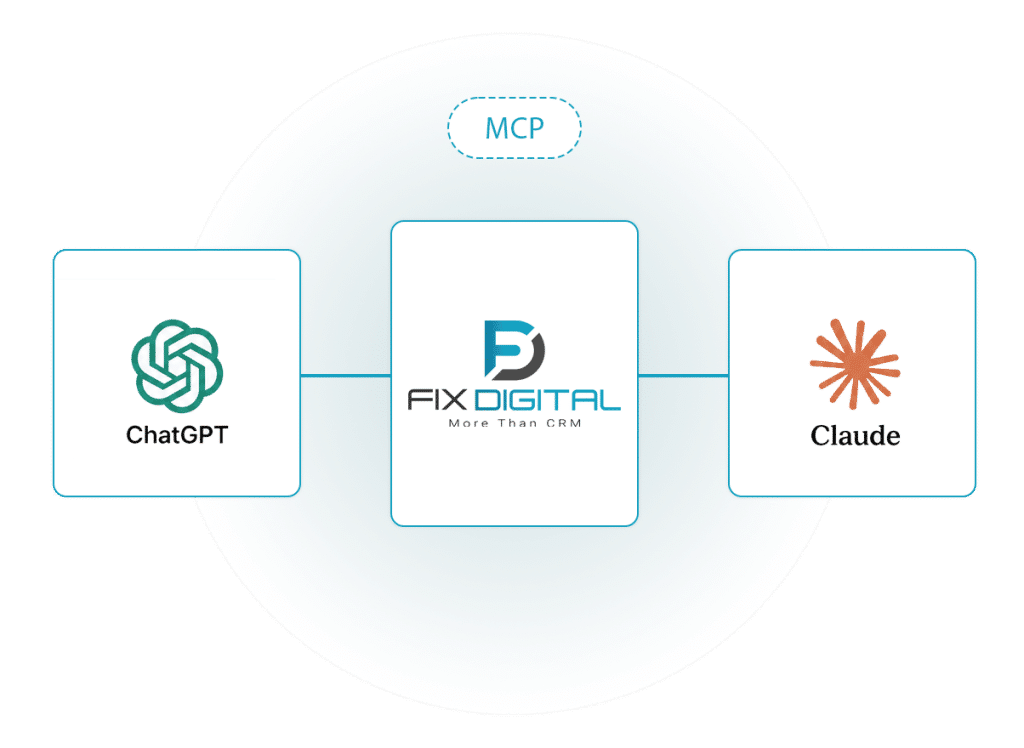
Connects to ChatGPT and Claude
The connection is ready. Now, just ask.
FixDigital CRM’s MCP connection lets you connect your CRM to supported AI tools and work with system data and actions using natural language.
- Request data.
- Generate reports.
- Analyze sales.
- Perform actions.
No searching for the right screen.
No building reports manually.
No switching between systems.
Setup takes just a few minutes.
A New Way to Work
Until now, you logged into the CRM. Now, you just ask.
Until now, getting information from the CRM meant logging into the system, finding the right screen, filtering data, analyzing it, or generating a report.
From now on, you can simply ask.
Tell the AI tool what you need, and it works with FixDigital CRM according to the connection and permissions you have configured.
Until Now
CRM
→
Screen
→
Filters
→
Data
→
Report
→
Analysis
From Now On
“Show me this month’s sales performance”
Four Core Capabilities
What Can You Do with FixDigital CRM and AI?

Request data
Access leads, customers, deals, meetings, and other CRM information with a simple natural-language request.

Generate reports
Request a report, compile the data, and prepare it for analysis, presentation, or sending.

Analyze sales activity
Identify trends, compare performance, review teams and time periods, and get a clear picture quickly.

Perform Actions in the CRM
Update statuses, assign leads, schedule follow-ups, and perform additional actions directly in FixDigital CRM.
Real-World Examples
Just Ask the AI
FixDigital CRM + AI
How many leads came in this month, and how many became deals? Compare the sales team’s performance in August versus July. Prepare a summary of all deals that are still open. Show me the new leads that have not yet been handled. Assign the new leads to the relevant sales reps. Create follow-up tasks for leads that have not received a response.
... ...
Fewer Clicks. Less Manual Work. More Control.
The CRM remains the center of your work. AI becomes a new way to work with it.
Permissions & Control
AI Connected. You Stay in Control.
The connection works with your company account and follows the permissions configured for it.
You decide what can be accessed and what actions can be performed.
User
→
AI Tool
→
Permissions
→
FixDigital CRM
How to Connect
Get Connected in Just a Few Minutes
1
Connect
Connect FixDigital CRM to a supporting AI tool via MCP.
2
Setting Permissions
Determine what information and actions can be accessed.
3
Start Asking
Open ChatGPT or Claude and start working with the CRM using natural language.
FAQ about CRM with AI
What is CRM with AI?
An AI-powered CRM integrates customer and sales management systems with artificial intelligence capabilities, enabling faster and more natural access to information, data analysis, and the execution of actions.
What is an MCP connection to a CRM?
MCP is a protocol that enables compatible AI tools to connect to external systems and data sources. The FixDigital CRM integration allows compatible AI tools to interact with CRM data and actions, in accordance with defined permissions.
Can FixDigital CRM be connected to ChatGPT?
Yes. Through the MCP connection, FixDigital CRM can be connected to supporting AI tools, including ChatGPT.
Can FixDigital CRM be connected to Claude?
Yes. Claude is one of the AI tools that can be connected to FixDigital CRM via MCP.
Can the AI only read information from the CRM?
No. Depending on the defined permissions and capabilities, it is also possible to perform actions within the system, rather than just receiving and analyzing information.
How long does the connection take?
The connection process takes a few minutes.
ChatGPT
+
FixDigital CRM
+
Claude
Connected. And Ready to Work.
Your CRM. Now Accessible Through AI.
Setup takes just a few minutes.